


Modern Access Control for Offices: A Complete Guide
Table of Contents
What Modern Access Control for Offices Actually Does
How the System Actually Works, Door by Door
Fail-Safe vs. Fail-Secure: The Decision That Shapes Everything
What the System Records, and Why It Matters
Electronic vs. Mechanical Access Control: Which Works for Your Office
Key Office Access Control System Features You Need
Employee Access Management Best Practices
Security, Compliance, and Emergency Access
Evaluating and Selecting the Right System for Your Office
Step 1: Assess Doors, Workflows, and Risk
Step 2: Pilot Before You Commit
Step 3: Migrate Credentials in Phases
Step 4: Train Staff and Document the Runbook
Step 5: Roll Out in Phases
The Cost Model: What You're Actually Paying For
Measurable Success Criteria
Integration and Vendor Questions to Ask
Frequently Asked Questions
Last Updated: October 13, 2026
What Modern Access Control for Offices Actually Does
Modern access control for offices manages who enters, when, and what they can access inside, delivering security, efficiency, and compliance.
At Plaza Lock, we've helped commercial property managers across Los Angeles and surrounding counties implement access control solutions that work in real offices.
The shift from mechanical locks changes how offices operate. Instead of keys that get lost or copied, you manage digital permissions that update instantly and revoke remotely.
How the System Actually Works, Door by Door
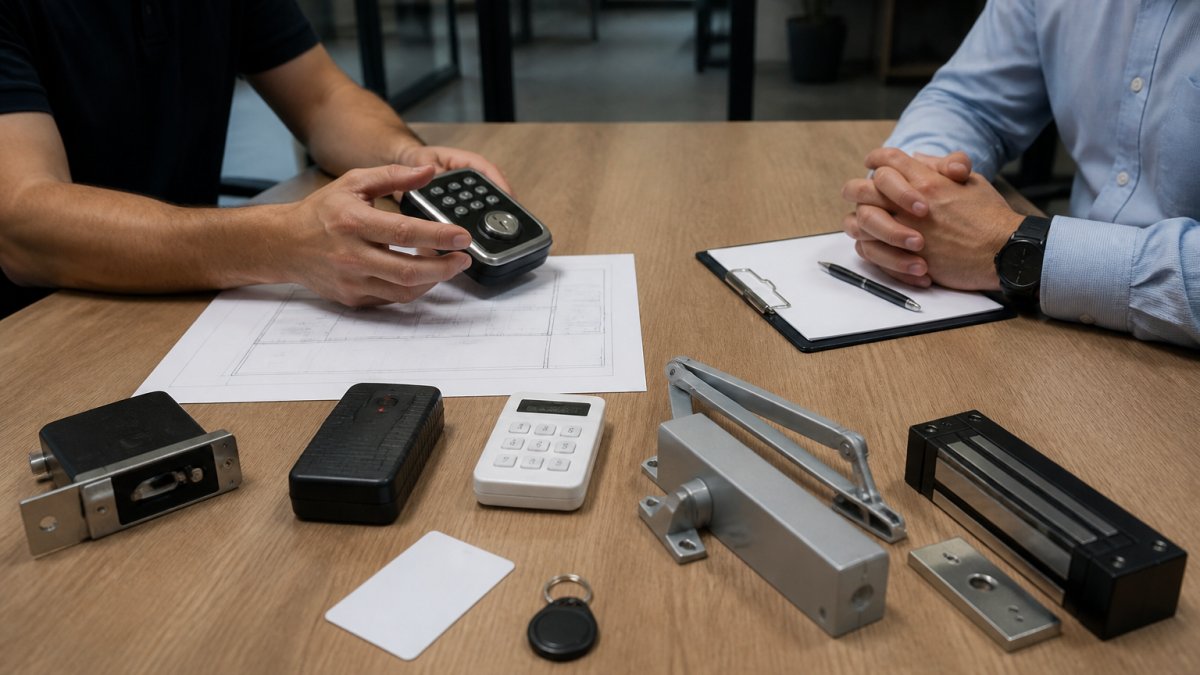
Most office buyers never get a clear picture of the hardware chain, and that gap drives bad purchasing decisions. A modern system is a sequence of components:
Credential, a card, fob, mobile wallet pass, PIN, or biometric template that identifies the person.
Reader, the device at the door that captures the credential. Common reader technologies include 125 kHz proximity, 13.56 MHz smart card (MIFARE and similar), Bluetooth Low Energy, and NFC.
Controller, the panel that makes the decision, checking the credential against the access rule for that door and time, then telling the lock what to do. Controllers can be at the door (edge) or in a central closet (head-end).
When someone presents a credential, the reader sends the identifier to the controller, which checks it against the schedule and permission group for that door. If allowed, the lock releases for 3 to 10 seconds and the event is logged; if denied, the door stays locked and the attempt is still logged.
Fail-Safe vs. Fail-Secure: The Decision That Shapes Everything
Every door must answer one question: when power is lost, should it lock or unlock?
Fail-safe means the door unlocks when power is removed, the norm for egress doors and doors tied to the fire alarm system, because people must be able to leave during an emergency.
Fail-secure means the door stays locked when power is removed, common for server rooms, records storage, and other high-value spaces that should stay shut even during an outage.
A common pattern is fail-safe on the perimeter and main egress paths, fail-secure on sensitive interior rooms, with battery backup on controllers. Getting this wrong is one of the most expensive mistakes in an office deployment, usually meaning re-running power and re-cutting doors.
What the System Records, and Why It Matters
Every credential presentation produces an event: credential ID, person's name, door, timestamp, and whether access was granted. That log powers investigations, compliance reporting, and after-hours anomaly detection, and it's why credential lifecycle management matters: a stale credential is both a security risk and permanent noise in your audit trail.

Electronic vs. Mechanical Access Control: Which Works for Your Office
The choice between electronic and mechanical access control depends on your office's size, security needs, and budget.
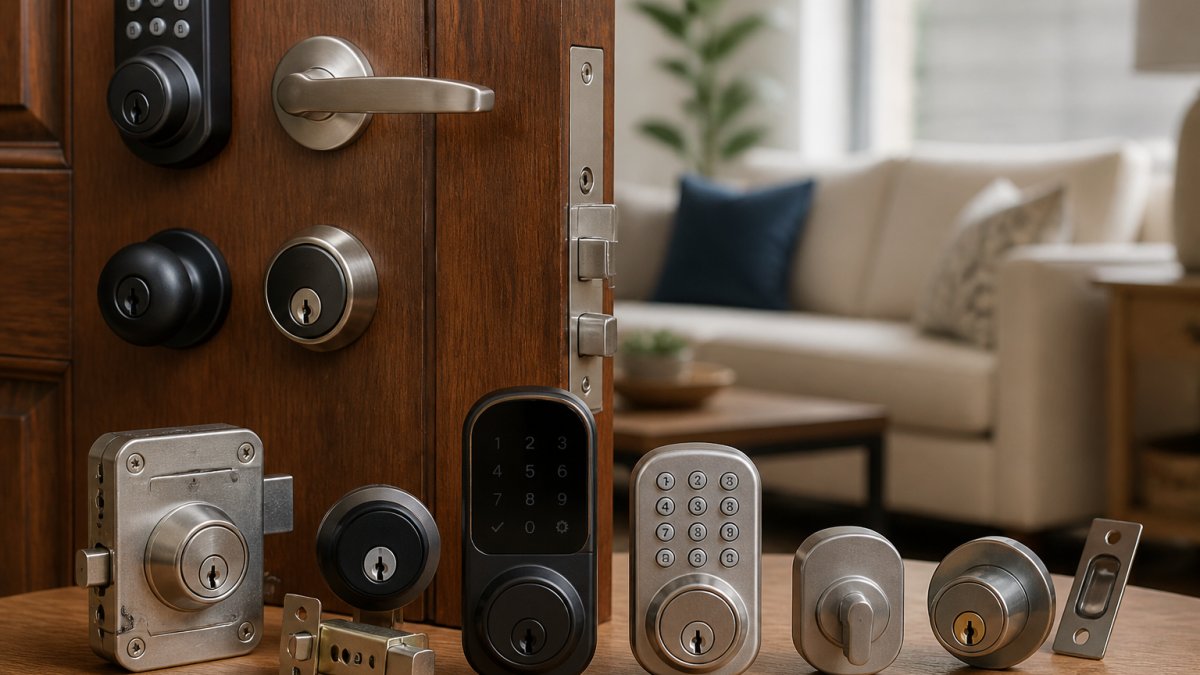
Mechanical locks, deadbolts and physical keys, still work for low-traffic areas like storage closets.
Electronic access control systems use credentials, key cards, mobile apps, PIN codes, or biometrics, to authenticate access.
In practice, hybrid approaches work best: electronic access control for main entrances, sensitive areas, and high-traffic zones; mechanical locks for emergency exits (which must work without power), storage, and low-security spaces.
Key Office Access Control System Features You Need
When evaluating modern access control for offices, certain features separate functional systems from frustrating ones.
Credentials and Entry Methods
Your system must support multiple credential types. Key cards remain the standard, durable, widely understood, cost-effective.
Visitor and Contractor Management
Managing temporary access is one of the most overlooked aspects of office access control.
Cloud-Based vs. On-Premises Systems
On-premises systems store everything locally on servers you own.
For most offices, cloud-based modern access control for offices systems make more sense.
Employee Access Management Best Practices
Implementing modern access control for offices requires clear policies and ongoing management.
Start with role-based access control: define what each job function needs.
Implement time-based restrictions. Standard hours might be 6 AM to 8 PM on weekdays, with after-hours access granted as needed and logged.
Conduct quarterly access reviews.
When employees leave, revoke access immediately. This is often a legal requirement under data protection regulations, not just a best practice.
Security, Compliance, and Emergency Access
Modern access control for offices must balance security with life-safety compliance, where many implementations fail.
Emergency egress is non-negotiable.
Touchless access has become standard. Card readers, mobile credentials, and facial recognition eliminate shared-surface contact, reducing disease transmission, and most office workers now expect it.
Cybersecurity and privacy are critical.
Accessibility is a legal requirement under the Americans with Disabilities Act (ADA Standards for Accessible Design).
Evaluating and Selecting the Right System for Your Office
Choosing a modern access control system requires assessing your needs against available options. Most guides stop at "do a security audit and get quotes", fine but incomplete. What determines success is the implementation plan, the cost model, and the metrics you use to judge the result.
Step 1: Assess Doors, Workflows, and Risk
Start with a door-by-door inventory. For each opening, record:
Door type (single leaf, double, glass, hollow metal, wood) and frame condition
Whether it's a perimeter entry, an interior office, a stairwell, an elevator lobby, or a mechanical/IT room
Current hardware (mechanical lock, panic hardware, closer, existing electric strike)
Then map workflows, not just doors: how employees arrive, how visitors check in, how deliveries and contractors get in, where people badge for timekeeping, where the cleaning crew enters after hours. The workflow map usually reveals that two or three doors carry most of the operational value.
Step 2: Pilot Before You Commit
A pilot on one or two doors is the highest-leverage step in an office deployment. Pick a door with real traffic, a main entry or department entrance, and run the new system alongside the old for two to four weeks. Watch for:
Read rate: how often does a credential fail on the first tap?
Tailgating behavior: does the door configuration encourage people to hold it open?
Reader placement: is it reachable from a wheelchair, and does it work for left- and right-handed users?
Surfacing problems on two doors costs a fraction of discovering them across forty.
Step 3: Migrate Credentials in Phases
Credential migration is where most office rollouts stall. A practical sequence:
Inventory existing credentials. Count active cards and fobs, note the technology (125 kHz vs. 13.56 MHz), and identify duplicates and stale credentials.
Decide on the target credential. If you're moving to mobile or smart cards, confirm reader compatibility so you don't have to swap every reader on day one.
Run dual-credential period. For two to four weeks, allow both old and new credentials at the doors being converted. This avoids a hard cutover that strands employees at the door.
Deactivate old credentials on a fixed date. Publish the date, remind users, and turn off the old technology at the controller level, not just at the door.
Reissue exceptions. Contractors, part-time staff, and after-hours vendors often need special handling. Build a short exception list and process it manually.
Step 4: Train Staff and Document the Runbook
Training isn't a one-hour lunch-and-learn. It's three audiences with three different needs:
Employees need to know how to use their credential, what to do if it fails, and who to call.
Reception and office managers need to know how to add a visitor, issue a temporary credential, and revoke it.
IT or facilities admins need the runbook: how to add and remove users, how to change schedules, how to pull logs, how to handle a lost credential, and how to respond to a door-left-open alarm.
Write the runbook down. A one-page reference at the front desk prevents most day-one support calls.
Step 5: Roll Out in Phases
A phased rollout is the norm for offices with more than a handful of doors. A common pattern:
Phase 1: Main entry and one interior door. Prove the workflow.
Phase 2: Remaining perimeter doors and the elevator lobby.
Phase 3: Sensitive interior rooms (IT, finance, records).
Each phase needs a defined success check before the next starts. If Phase 1 reveals reader placement problems, fix them before replicating the mistake across the building.
The Cost Model: What You're Actually Paying For
Access control costs fall into five buckets. Get a line-item quote for each, not a bundled number:
Hardware, readers, controllers, lock hardware, request-to-exit devices, power supplies, and any door and frame modifications. Door and frame work is frequently the largest surprise line item.
Software, either a subscription (cloud) or a license plus maintenance (on-premises). Cloud subscriptions are typically priced per door per month; on-premises licenses are typically a one-time cost with an annual maintenance percentage.
Installation, labor, cabling, conduit, and any after-hours work required to avoid disrupting the office.
Compare total cost over three to five years, not just the first invoice, a lower hardware price with a higher per-door subscription can flip the ranking over time. Ask each vendor to show cost at 10, 25, and 50 doors so you can see how the model scales.
Measurable Success Criteria
Before you sign, agree on what success looks like. Useful metrics:
Deployment time per door, how long from signed quote to a working door.
Credential revocation time, how long from "employee terminated" to "credential dead." Best-in-class is minutes, not days.
Administrative hours per month, how much time your team spends adding users, pulling reports, and handling exceptions.
Track these for 90 days after each phase. If a metric isn't moving, the problem is usually configuration or training, not hardware.
Integration and Vendor Questions to Ask
Ask every vendor the same short list:
Which video, alarm, and intercom platforms do you integrate with natively, and which require middleware?
What happens to access at the door if the network or the cloud service goes down?
How are credentials and logs encrypted in transit and at rest?
Key Takeaway A successful office access control project is less about picking the perfect product and more about running a disciplined implementation: assess doors and workflows, pilot on real traffic, migrate credentials in phases, train three audiences, and measure revocation time, uptime, and administrative hours. Those are the numbers that tell you whether the system is actually working. ADA Standards for Accessible Design, U.S. Department of Justice NFPA 101 Life Safety Code overview
Frequently Asked Questions
What is a modern office access control system?
A modern access control system manages who can enter specific areas of an office building and when. It replaces traditional keys with electronic credentials like key cards, mobile credentials, or biometric readers, paired with a central system that logs all access events. This gives you real-time visibility into who is in your building, automates visitor check-ins, and lets you revoke access instantly when someone leaves without changing physical locks.
Is electronic access control better than mechanical locks for a small office?
Electronic access control offers advantages for most offices: no rekeying costs when staff changes, instant credential revocation, activity logs for compliance, and remote management. Mechanical locks are simpler and cheaper upfront but require physical rekeying and offer no audit trail. For small offices with stable staff and basic security needs, mechanical locks may suffice. For any office with multiple entries, frequent staffing changes, or compliance requirements, electronic systems deliver better security and lower long-term costs.
How should an office manage employee access when someone leaves?
With electronic access control, you disable their credentials instantly in the central system without touching physical hardware. With key card systems, you deactivate their card in the software and collect it from them. For highest security, combine credential revocation with a documented offboarding process that includes collecting all badges, resetting passwords, and verifying building exit. Some systems send real-time alerts if a deactivated credential is used, catching unauthorized entry attempts immediately.
Can office access control systems use mobile credentials?
Yes. Many modern systems support mobile credentials delivered via smartphone apps or digital wallet integration (Apple Wallet, Google Wallet). Employees unlock doors by holding their phone near a reader, eliminating lost or forgotten key cards. Mobile credentials can be disabled remotely just as easily as physical cards, and they provide the same audit trail and access logs. This approach is especially popular in offices where employees work hybrid schedules or move between multiple locations.
What happens to an access control system during a power or internet outage?
Cloud-based systems require internet connectivity; if your connection drops, you lose remote access and real-time alerts until service restores. Most systems include local battery backup on door readers so employees can still enter using cached credentials for several hours. On-premises systems are less dependent on internet but still need power; backup power supplies keep them running during outages. For mission-critical facilities, redundant internet connections and extended battery backup are worth the added cost.
What compliance or safety standards apply to office access control?
The Life Safety Code (NFPA 101) requires that access control systems never prevent emergency egress; doors must unlock automatically during fire alarms or power loss. OSHA does not specifically mandate access control but requires secure workplaces. If your office handles regulated data (healthcare, finance), HIPAA, PCI-DSS, or SOC 2 standards may require audit trails and access logging. Check with your insurance provider and legal counsel on requirements for your industry and location.
How much does a modern office access control system cost?
Pricing depends on office size, number of doors, credential type, whether you choose cloud or on-premises, and installation complexity. A small office with 2-3 doors and key card credentials typically costs less than a large building with multiple floors and biometric readers. Rather than guessing at costs, contact a security professional for a site assessment and quote tailored to your layout and requirements. Long-term savings from eliminating rekeying often offset the initial investment within 2-3 years.
Get A Free Estimate

Comments